TL;DR
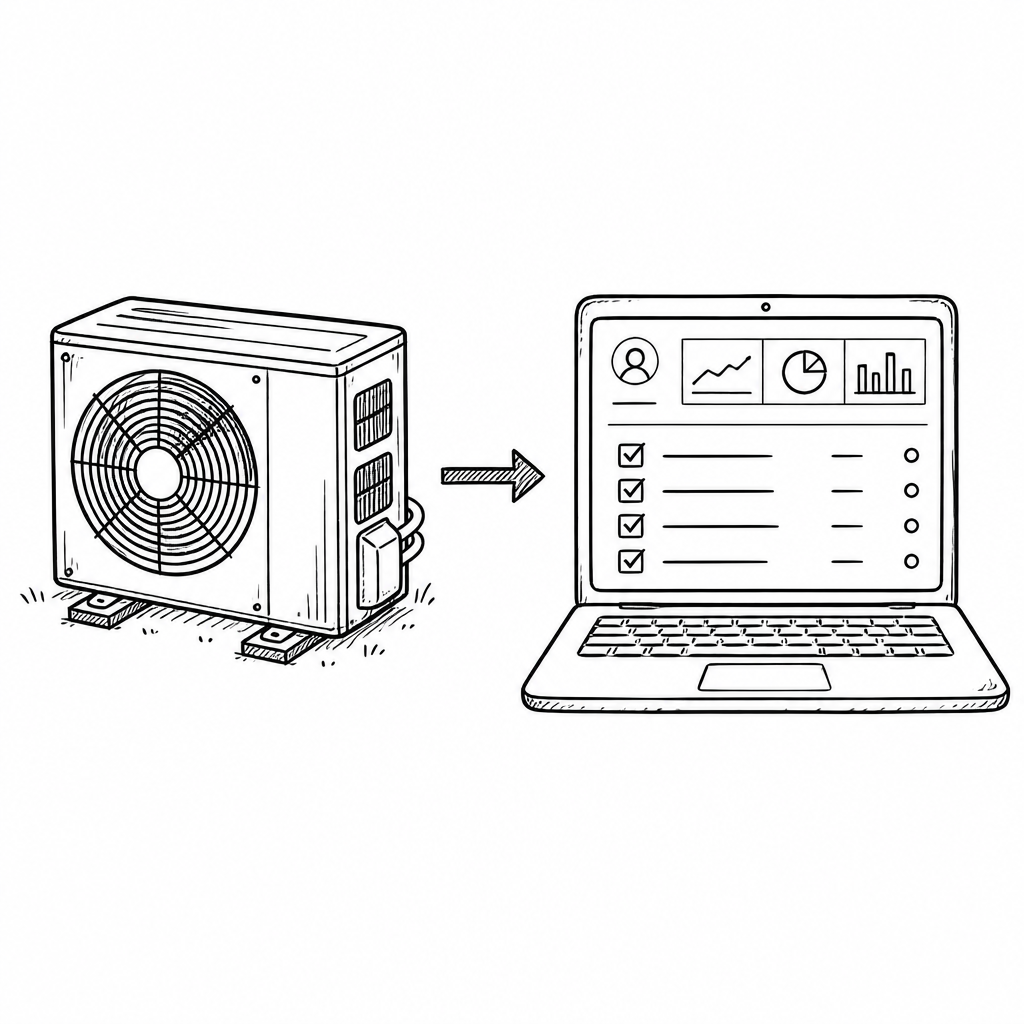
We build marketing systems that feed HVAC CRMs for 40+ contractors, so we watch which platforms actually hold up at each stage of growth. The short version: Jobber is the right call for solo operators up to 3-crew shops ($39 to $199/mo). Housecall Pro covers the middle when you want a bundled marketing center. ServiceTitan is the answer once you cross 5 techs and roughly $2M in revenue. FieldEdge still wins for shops built around a flat-rate price book. Workiz is the budget pick when cash flow matters more than deep integrations.
Bottom line: your CRM is maybe 20% of the equation. The marketing engine feeding it is the rest. If your book is soft, a shinier CRM will not fix it. See our ongoing engagement pricing for what actually moves revenue.
Disclosure: SkillMammoth is a Jobber Partner and may earn a commission from signups through our link. Our recommendations are based on client experience, not commissions: we recommend against Jobber for several operator profiles below.
The buyer archetype framework
The single biggest mistake HVAC operators make when shopping for software is choosing based on features they might use in three years instead of the way their business runs today. Every CRM below is the correct answer for someone. Almost none of them are the correct answer for everyone. Find your archetype first, then compare.
Archetype 1: Solo operator, 0 to 30 recurring customers
You are the tech, the dispatcher, and the bookkeeper. You need scheduling, quoting, invoicing, and a way to get paid on the truck. You do not need a dispatch board. Jobber Core at $49/mo is the correct answer 9 times out of 10.
Archetype 2: 2 to 3 crews, growing residential shop
You have a lead tech, a helper, maybe a second crew, and a spouse or admin running the office. You need a real quote-to-invoice flow and a mobile app your techs will actually open. Review automation matters too, once you are past the first hundred jobs. Jobber Connect or Grow ($139 to $199/mo) or Housecall Pro Essentials ($149 to $199/mo depending on adds) are the shortlist.
Archetype 3: 5+ techs, $2M+ revenue, memberships as a real revenue line
You have a dispatcher who owns the board and a call taker on the phone, with the work split between residential and light commercial. You need dispatch optimization, price-book depth, membership renewals, and reporting that survives an accountant's questions. ServiceTitan is the answer. Everything else you will outgrow within 18 months.
Archetype 4: Maintenance-plan-heavy shop of any size
If 30%+ of your revenue comes from tune-up memberships, your CRM decision is really a membership management decision. ServiceTitan and FieldEdge both handle recurring billing and membership-tier price books far better than the mid-market tools, and their renewal reminders actually fire. Housecall Pro's membership module is functional but shallower. Jobber can hack it with recurring invoices but membership is not its lane.
The 5 CRMs reviewed (honest operator perspective)
1. Jobber
Best for: Solo to 3-crew residential HVAC shops, $0 to roughly $2M in revenue, mobile-first operators who want a fast setup and clean invoicing.
Pricing (2026): Core $49/mo, Connect $139/mo, Grow $199/mo billed monthly. Annual billing drops these to $29, $99, and $149 per month respectively. Bundled user tiers (Connect 5 users $199, Grow 10 users $399, Plus 15 users $699) take over once you cross 2 techs. The full number breakdown is in our Jobber pricing 2026 guide.
Strengths: The mobile app is the best in the category, techs actually use it. Setup takes 1 to 3 days, not the 30 to 90 you spend on enterprise tools. QuickBooks Online sync just works, no monthly reconciliation drama. Review request automation fires within minutes of a job being marked complete, which is the single biggest lever for hitting 100 Google reviews (see our review acquisition playbook).
Weaknesses (real ones):
- The dispatch board thins out once you push past 4 or 5 active techs on the same day. You can run it, but a dedicated dispatcher will feel constrained.
- Membership management is basic. You can bill recurring plans, but tier-based price books and renewal automation are shallow next to ServiceTitan or FieldEdge.
- Add-on creep is real. AI Receptionist ($29/mo), Marketing Suite ($99/mo), and $29/user for extra seats on single-user plans add up.
- Reporting is honest and readable, but not the enterprise-grade slice-and-dice you get from ServiceTitan.
Our take: For the operator profiles it fits, nothing else is close. It is the CRM we recommend more than any other, and it is the one we became an official partner for. Readers get 20% off Jobber for 6 months on monthly plans, or 20% off an annual plan through our partner link: go.getjobber.com/skillmammoth. Background on the partnership: SkillMammoth is now a Jobber Partner.
2. ServiceTitan
Best for: 5+ techs, $2M+ revenue, residential and light-commercial HVAC shops that already employ a dispatcher and run a real membership base.
Pricing: Custom quoted. Entry deployments typically start around $400 to $800+/mo per user equivalent once you factor in the platform fee and required modules. Onboarding runs $2,500 to $10,000 and takes 30 to 90 days. This is not a "sign up today, run it tomorrow" tool.
Strengths: The dispatch board is best in class. Membership management is enterprise-grade, down to revenue recognition on the renewals, with tier price books behind it. Sales pipeline for install proposals is the deepest in the category. Reporting will answer any question your CFO asks. Marketing pro adds real attribution back to spend.
Weaknesses: Cost and complexity are the story. Under $1M in revenue it is almost always overkill and the implementation burns time you do not have. Techs need real training to be productive in it. The mobile experience is powerful but heavier than Jobber's. If you switch too early, the tool runs you, not the other way around.
Our take: When it fits, it prints money. When it does not fit, it drains cash and morale. Read Jobber vs ServiceTitan for the head-to-head; the honest cutover point for most residential HVAC shops is 5 techs plus a full-time dispatcher.
3. Housecall Pro
Best for: The middle: 1 to 5 techs, residential HVAC, operators who want a bundled marketing center and are willing to pay for it.
Pricing: Published tiers run $59/mo (Basic), $149 to $199/mo (Essentials), and $329/mo (MAX). Realistic functional pricing with the add-ons most shops end up needing lands in the $200 to $400/mo range. Add-on creep is the single biggest complaint we hear from operators who left Housecall Pro for Jobber.
Strengths: Solid all-rounder. Good online booking flow. Consumer-facing pieces (booking widget, customer portal) are polished. Marketing center is bundled, which matters if you do not have a marketing partner and want reviews + email in one place.
Weaknesses: The website and marketing bolt-ons are structurally limited. We wrote a full breakdown at Housecall Pro marketing vs a custom marketing partner. The dispatch board sits between Jobber and ServiceTitan in capability but closer to Jobber. QuickBooks sync works but with more edge cases than Jobber's.
Our take: Housecall Pro beats Jobber for operators who want a one-stop shop and will use the marketing center. Jobber beats Housecall Pro on price, setup speed, and mobile experience. If you already have a marketing partner (or plan to), Jobber is usually the cleaner choice.
4. FieldEdge
Best for: HVAC shops built around a flat-rate price book, especially those that ran on Coolfront and want a tighter platform integration.
Strengths: Legacy strength in HVAC specifically. Coolfront flat-rate heritage is deep, and the QuickBooks Desktop integration remains the best in the category for shops still on Desktop instead of Online. Dispatch and scheduling are competent. Membership management is solid, better than Jobber, closer to ServiceTitan than Housecall Pro.
Weaknesses: The interface feels dated next to Jobber and Housecall Pro. Mobile is weaker: techs describe it as functional, not delightful. The third-party integration list is narrower than Jobber's Zapier surface.
Pricing: Custom quoted, typically lands in the $100 to $300 per user per month range depending on modules. Not published, expect a sales conversation.
Our take: If your business model is "book the call, dispatch the tech, quote from the price book, close on the truck" and you already know Coolfront, FieldEdge earns a real look. For shops without that flat-rate-first DNA, Jobber or ServiceTitan usually win.
5. Workiz
Best for: Budget-conscious teams, small residential shops that want dispatch functionality without Jobber Grow's price tag.
Pricing: Published at roughly $65 to $199/mo depending on tier and users. On the low end it is meaningfully cheaper than Jobber Connect.
Strengths: Price. Decent dispatch board. Built-in phone and SMS features that some shops appreciate over stitching CallRail in separately. Growing feature set.
Weaknesses: Shallower integrations, particularly for QuickBooks and Zapier. Review automation is competent but not as clean as Jobber's. Fewer marketing partners have built polished integrations.
Our take: Real option for cash-flow-sensitive shops that need dispatch and phone in one place. If you can afford Jobber Connect ($139/mo) and want the wider integration list, that is usually a better long-term bet.
Integration analysis (the deciding factor)
Feature checklists get everyone in trouble. The thing that actually determines whether a CRM works for your HVAC shop is how cleanly it plugs into the four systems around it: your books, your call tracking, your website, and your review workflow. Here is the honest scorecard.
QuickBooks sync
Jobber: QuickBooks Online sync is the cleanest in the category. Customers, invoices, payments, and payouts all map without custom fields. Desktop sync is available but weaker than Online. ServiceTitan: Capable, but expect an accountant to help configure the initial chart-of-accounts mapping. Housecall Pro: Works, more edge cases than Jobber, especially around refunds and credits. FieldEdge: Best in class for QuickBooks Desktop; Online is functional. Workiz: Functional, thinner than the others.
Call tracking (CallRail and similar)
All five can accept a CallRail number in the lead source field, but the depth of the integration varies. Jobber and ServiceTitan both have first-class CallRail integrations that push call recordings and source data straight into the customer record. Housecall Pro and FieldEdge require Zapier or manual tagging in most setups. Workiz has its own phone system that competes with CallRail, so if you want independent call tracking, factor in the compatibility.
Website lead webhook
The Local SEO traffic and LSA leads we drive have to land in the CRM automatically or the follow-up cadence breaks. Jobber's webhook support is the most flexible: the custom HVAC marketing sites we build push form submissions straight in, carrying the lead source and campaign with them. ServiceTitan supports this via its API, cleanly but with more setup. Housecall Pro and FieldEdge require Zapier for most cases. Workiz supports webhooks natively but with less field mapping flexibility.
Review automation
Jobber and Housecall Pro are the class leaders here, with automatic review requests triggered by job completion. Both send SMS and email, and both integrate with Google review links. ServiceTitan handles this through the Marketing Pro add-on. FieldEdge and Workiz have review request features but require more manual configuration.
Attribution
None of the five CRMs solve attribution on their own. All of them expose a lead source field, and how disciplined you are about tagging that field determines whether you can answer "what does a job from Google actually cost me?" The full stack for HVAC attribution (GA4, CallRail, source tags, cost-per-acquired-customer) is in marketing attribution for home service contractors.
Migration guide (when to switch, and how to not blow up your season)
When to switch
- Jobber to ServiceTitan: You have crossed 5 techs, added a full-time dispatcher, and memberships are 25%+ of revenue. The dispatch board and membership tools now pay for themselves.
- Housecall Pro to Jobber: You are paying for add-ons you do not use, you have a separate marketing partner, and your techs complain about the mobile flow.
- Workiz to Jobber: Your integration list is growing (accounting, reviews, website leads) and the wall you keep hitting is how few of them Workiz supports.
- FieldEdge to ServiceTitan: You are expanding commercial or install, and the interface age is slowing down onboarding new techs.
The 4-week migration timeline
- Week 1: Export customers, jobs, and open invoices from the old system. Clean the customer file (dedupe, standardize phone numbers, fix bad addresses). This is the step everyone skips and then regrets.
- Week 2: Import into the new CRM, configure services and price book, set up QuickBooks sync, connect payment processor. Test with 5 real jobs from a single crew.
- Week 3: Train the office and one lead tech. Run parallel for 5 to 7 days: new jobs in the new system, existing open jobs finish in the old.
- Week 4: Full cutover. Cancel the old subscription 30 days later, not the same day, so you can pull any missed records.
Do not migrate during peak season. For HVAC that means do not switch in June, July, or August (cooling peak) or January (heating peak). Shoulder seasons (April, May, September, October) are the safe windows.
Your CRM is only 20% of the equation
Here is the uncomfortable truth we have to tell operators every month: if your book is soft, a better CRM will not fix it. Revenue in an HVAC shop is a three-part equation:
- Acquisition (marketing engine): are enough of the right people finding you and calling?
- Conversion (call handling + website + follow-up): are you closing the leads you get?
- Efficiency (CRM + dispatch + billing): are you running the closed jobs profitably?
The CRM sits in the third bucket. It is the smallest lever of the three. If your shop is plateauing at $800K or $1.5M, the ceiling is almost always upstream: not enough leads (fix with Local SEO, Local Service Ads, and a real HVAC SEO plan) or not enough of them closing (fix with website conversion and follow-up discipline).
The engagements we run at SkillMammoth build that acquisition and conversion engine, then plug it cleanly into whichever CRM you already run. See ongoing engagement pricing or read the trade-specific playbook for HVAC operators at HVAC marketing consultant.
Decision matrix
| Your situation | Recommended CRM | Reason |
|---|---|---|
| Solo operator, first CRM | Jobber Core | Cheapest fast-setup, best mobile app. |
| 2 to 3 crews, no in-house marketing | Housecall Pro Essentials | Bundled marketing center covers gap. |
| 2 to 3 crews, has marketing partner | Jobber Connect or Grow | Cleaner integrations, no add-on creep. |
| 4 to 5 techs, growing memberships | Jobber Grow, plan ServiceTitan for 18 months out | Jobber still fits, but start dispatch/membership research now. |
| 5+ techs, $2M+, real memberships | ServiceTitan | Only tool that handles dispatch + memberships + reporting at scale. |
| Flat-rate-book-centric, on QB Desktop | FieldEdge | Best price-book depth, best QB Desktop integration. |
| Cash-flow constrained, need dispatch | Workiz | Cheapest with real dispatch board. |
Sibling reading
This is one of four operator CRM guides on our site. For roofing operators, see best CRM for roofers. For electrical operators, see best CRM for electricians. For green industry operators, see best CRM for lawn care. For HVAC-specific lead generation once your CRM is settled, see lead generation for HVAC. For the full HVAC SEO playbook, see HVAC SEO.
What an HVAC CRM needs that generic CRM software does not
Search "HVAC CRM" and half the results are general sales CRMs with an HVAC landing page bolted on. Three things separate a real HVAC CRM from that, and all three are worth checking on a demo.
The first is maintenance agreements. Recurring service plans are how an HVAC company survives the shoulder seasons, and the software has to generate the visits, bill the plan, track which customers are on it and flag renewals. A generic pipeline CRM has no concept of a contract that produces two visits a year forever.
The second is equipment records at the address rather than the customer. You need make, model, serial, install date and warranty status attached to the unit in the basement, because the next tech to visit needs it and because a warranty claim depends on it. Customer-level notes do not survive a change of homeowner.
The third is dispatch that copes with a heat wave. When forty calls arrive in one morning, the board has to let you reorder by priority, see who is closest and text customers about revised arrival windows without anyone making forty phone calls.
Anything missing those is a sales tool rather than an HVAC CRM. Our wider guide to contractor CRM categories covers why that distinction costs people money.
The same heat wave that tests the dispatch board tests whoever answers the phone at 9pm. What that costs, and why minutes-based plans break in July, is in our HVAC answering service breakdown.
FAQ
What is the best CRM for a solo HVAC operator?
Jobber Core at $49/mo on monthly billing, or $29/mo on annual. Fastest setup, best mobile app, cleanest QuickBooks sync. With our partner link that drops another 20% for the first 6 months on monthly plans, or 20% off annual.
What is the best CRM for a 5+ tech HVAC shop?
ServiceTitan, once you have a full-time dispatcher and memberships as a real revenue line. It is the only tool that handles enterprise dispatch, membership tier price books, and sales pipeline for install proposals in one platform.
Jobber vs ServiceTitan for HVAC, which one?
Jobber wins for solo to 3-crew shops under $2M. ServiceTitan wins for 5+ techs, $2M+, and membership-heavy operations. The full head-to-head is in Jobber vs ServiceTitan.
Is ServiceTitan worth it?
Yes, if you are in the archetype it was built for (5+ techs, dispatcher, memberships). No, if you are switching from Jobber at $1M in revenue hoping it will "level you up." It will slow you down for 6 months before it helps.
What does HVAC software cost in 2026?
Realistic ranges: solo Jobber at $29 to $49/mo. Small shop Jobber or Housecall Pro at $139 to $199/mo per user tier. Mid-shop with add-ons at $200 to $400/mo functional. ServiceTitan starts around $400 to $800+/mo and scales up with users and modules, plus $2,500 to $10,000 onboarding.
Does my CRM affect my SEO?
Indirectly, yes. Review automation is the biggest lever: reviews influence Google Business Profile rankings, and CRMs with automatic review requests (Jobber and Housecall Pro) make it far easier to hit 100+ reviews. The full playbook is at how to get 100 Google reviews.
How do I connect my CRM to my website?
Via webhook (Jobber, ServiceTitan, Workiz) or Zapier (Housecall Pro, FieldEdge). The website form fires on submit, the CRM creates a customer with source and campaign tagged. If your current setup requires manual re-entry, you have a leak. Our custom marketing sites ship with clean CRM webhooks by default.
Can I switch CRMs mid-season?
You can, but do not. HVAC peaks in summer (cooling) and January (heating). Migrate in shoulder seasons (April to May, September to October) so a training week does not cost you a peak-season week of revenue.
What is the SkillMammoth Jobber discount, and how do I get it?
20% off Jobber for 6 months on monthly plans, or 20% off an annual plan. Sign up through go.getjobber.com/skillmammoth and the discount is applied at checkout. SkillMammoth is an official Jobber Partner and may earn a commission at no extra cost to you. See our partners page for the full disclosure.
Does SkillMammoth manage or set up my CRM?
No, we do not run your CRM day to day. We build the marketing engine that feeds it (website, Local SEO, LSAs, review workflow, attribution) and we make sure lead source data flows in cleanly. Actual CRM operation stays with your team. See what we do and do not do. One exception: when none of the platforms in this guide fit, we build custom CRMs and dashboards as flat-fee projects you own.
Disclosure: SkillMammoth is a Jobber Partner and may earn a commission from signups through our link. Our recommendations are based on client experience, not commissions: we recommend against Jobber for several operator profiles above.
Comparing tools beyond your trade? See our hub guide to the best field service software for a ranked top 10 across every home service category.
Want to implement these strategies?
Book a free strategy call and learn how we can help grow your contractor business.
Book a Free Strategy Call