TL;DR
A missing Google review is one of four different problems, each with a different fix: the reviewer's account tripped Google's spam filter (most common, sometimes recoverable), your profile is new or recently changed and reviews are in a trust lag (resolves itself in days to weeks), the review violated policy and was removed (usually permanent), or the whole review section is temporarily disabled after a suspension, reinstatement, or bulk-spam event (wait it out, document everything). Work the triage below before assuming the worst, and never ask the customer to just post it again from the same account: the filter usually eats the repost too.
You asked a happy customer for a review. They swear they left it. It is not on your profile, and now you are both staring at your phones wondering who broke what. Nobody broke anything: Google filters or delays a meaningful slice of legitimate reviews, and which fix applies depends on which of four situations you are actually in. Here is the triage.
Step 1: find out if the review exists at all
Have the customer open Google Maps, tap their profile picture, then "Your contributions," then "Reviews." Three outcomes:
- The review is there, marked visible to them, but missing from your profile: it is filtered or in a trust lag. Continue the triage.
- The review is gone from their own contributions: Google removed it (policy) or the customer's account state killed it. Go to the account-signals section.
- They never actually posted it (drafts die in the app more often than anyone admits): have them post it fresh, on wifi, signed in.
The four causes, in order of likelihood
1. The reviewer's account tripped the spam filter. Google weighs the account more than the words: brand-new Google accounts, accounts with zero prior reviews, accounts reviewing from the business's own wifi or IP, several reviews of the same business category in a burst, or a review left minutes after nine other customers used the same link on the same day. All of these read as suspicious to a filter that processes millions of fakes. The recoverable version: the customer edits the review a week later (an edit re-triggers evaluation) or adds a photo, which raises trust signals. The unrecoverable version: a zero-history account's review may just never surface, and reposting from the same account rarely helps.
2. Your profile is in a trust lag. New profiles, recently reinstated profiles, profiles that just changed address or category, and profiles that suddenly went from 2 reviews a month to 20 (say, after installing a review engine like our 100-reviews system) all get their incoming reviews held longer. Velocity matters: a steady drip of asks beats a blast to your whole customer list, which can shove legitimate reviews into the filter for weeks. If this is you, the reviews usually appear on their own; the fix is patience and pacing, not resubmission.
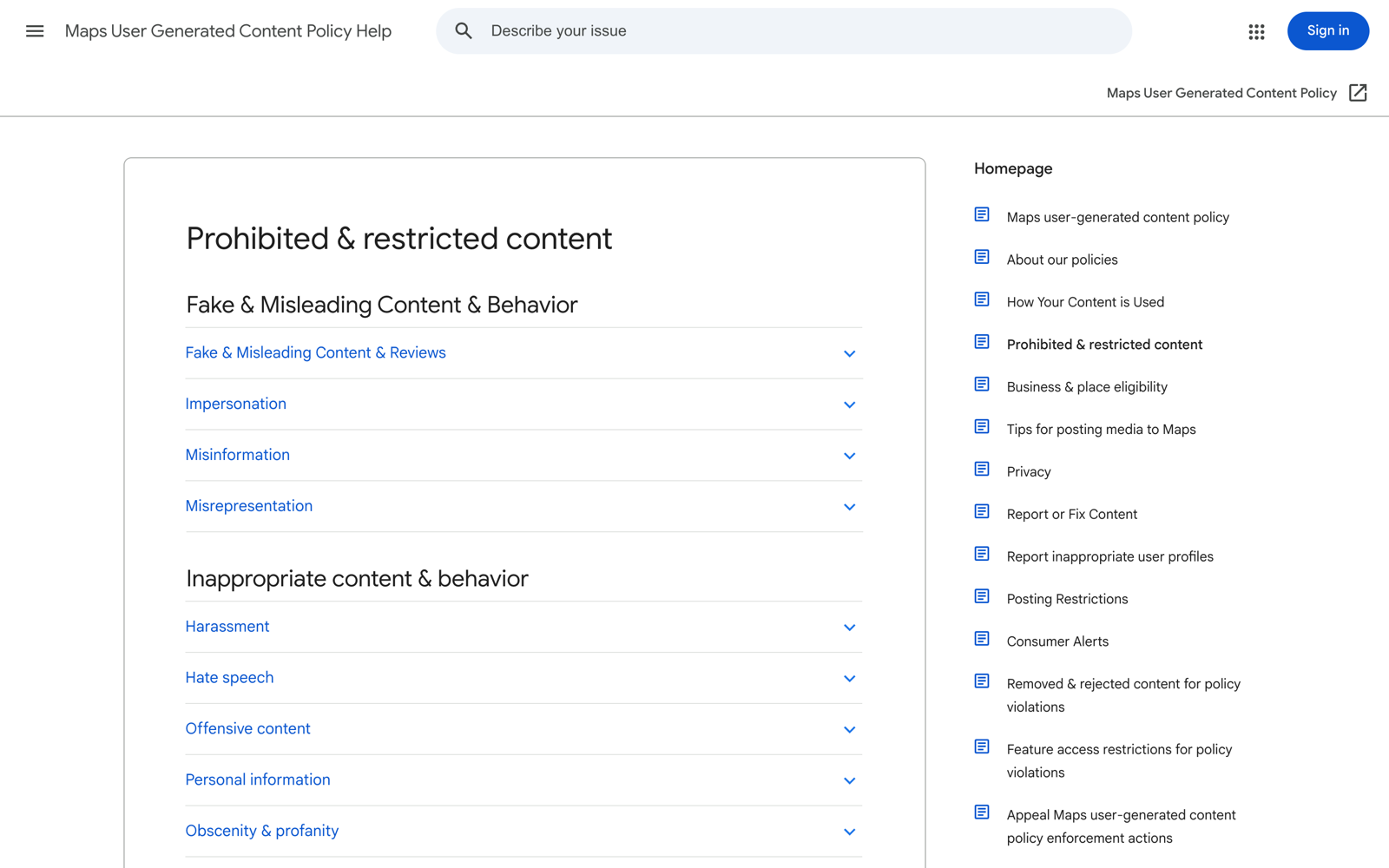
3. The review violated policy. Prohibited content, links, phone numbers in the text, profanity, or the reviewer disclosing they got an incentive. These are removed, visible to no one, and effectively permanent. The subtle version that bites contractors: a review that reads like an ad ("Best roofer in Dallas! Call 555...") gets eaten even when a real customer wrote it. Coach reviewers toward describing the experience, never toward marketing language.
4. The whole review section is glitched or clamped. After a suspension and reinstatement, during a bulk-spam attack on your category, or during a Google incident, counts drop or new reviews stop posting entirely for every business affected. The tell: it is not one review, it is all of them, and the GBP community forum lights up with identical reports the same week. Nothing you do at the individual-review level helps; document your count with screenshots and wait.
the single most useful trick in the filter fight: an edited review gets re-evaluated with the account's current trust signals. A deleted-and-reposted one often inherits the original spam verdict.
What actually works, and what wastes your time
- Works: the customer editing the review after a few days, adding a photo, or reviewing other businesses first so their account has history.
- Works: pacing your review asks steadily instead of blasting, and asking customers to post from their own data connection, not your shop wifi.
- Works for section-wide problems: a support case via the Business Profile help center with before/after screenshots of your count.
- Wastes time: reporting your own missing review to Google (that flow is for removing policy violations, not restoring filtered ones), buying "review recovery" services, and repeatedly deleting and reposting, which digs the account deeper into the filter.
Want reviews handled end to end?
Our reputation service runs the asking cadence, monitors what posts and what vanishes, and responds to everything, so missing reviews get caught the week they go missing.
Prevention: make the next hundred reviews stick
Most filtering pain traces back to how reviews get requested. The pattern that survives the filter: ask at the moment of finished work, one customer at a time, via a direct link, with the request coming from a person, not a blast platform. That cadence, the link mechanics, and the scripts are the whole subject of our 100 Google reviews playbook. And when the occasional bad one lands and stays visible while a good one vanishes (the injustice every operator eventually feels), our negative review response guide covers the other half of the reputation game.
One thing not to do while frustrated: buying or incentivizing replacements. Beyond platform detection, the FTC's fake-review rule carries civil penalties that can exceed $50,000 per violation. A filtered legitimate review costs you one review; a fake-review penalty costs the profile.
Get a second set of eyes on your whole profile
Reviews, rankings, website, the works. Free 10-minute audit of how your business looks to a searching customer, within 48 hours.