 ChatGPT
TL;DR
- A construction company website has three buyers: a homeowner, a commercial owner checking your qualifications and a worker deciding where to apply.
- A standard prequalification form, ConsensusDocs 221, asks for your EMR, bonding capacity, licenses and past projects. Put those numbers on pages.
- California requires your license number in advertising, websites included, and so does Minnesota for residential licensees. California bars calling yourself bonded in an ad.
- Printed build prices on November 27, 2026 run from $1,997 for six pages to $45,000 at the top of one remodeler specialist's range.
- At NAHB's 29.9% remodeler gross margin, a $12,000 site is paid back by 1.6 jobs of $25,000.
- From November 2025 to October 2026, 41% of searches for "construction website design" came in the first three months. Buyer searches were at their low in November.
Construction website design means building one site for three buyers. Homeowners want proof and a way to price the job. Commercial owners want your EMR and license number, while workers want to know what you pay. Printed build prices read on November 27, 2026 run from $1,997 to $45,000.
This guide is for the owner of a general contracting, remodeling or commercial building company, and for the office manager who ends up running the site. It lists the pages, shows real examples, prices every route that prints a price and ends with the questions to ask a designer.
Construction website design has three buyers to answer
A site built only for homeowners leaves out two buyers. A builder who bids commercial work or hires crews has three audiences, and each one checks different facts before they call.
| Buyer | What they check first | The page that answers |
|---|---|---|
| Homeowner | Photos of similar work, reviews, a license number | Project pages and a short estimate form |
| Commercial owner or general contractor | EMR, licenses, bonding capacity, past projects | Safety page, project data and a bid contact |
| Job seeker | Pay, benefits, who they would work for | Careers page with a short application |
| Verdict | Build one page for each buyer before polishing the homepage | |
The commercial row is the one the ranking pages skip. We read three agency pages on the first page of results for this search. None mentions an EMR or a license number, and none prints a build price.
The nine pages a construction company website needs
Here is the page list, in the order we would build it. Each one answers a question one of the three buyers already has.
- Homepage. Phone number, a bid or estimate button, your license number and one line on what you build and where.
- Project portfolio with real data. One page per project, each with location, size, value or a range, completion date and your own photos.
- Services. A page for each kind of work, from additions to tenant fit-outs, so each search lands on the right page.
- Markets served. The sectors you build in, such as healthcare or multifamily, and the towns or regions you cover.
- Safety record and EMR. Your experience modification rate, incidence rates and training, stated as numbers.
- Licenses, bonding and insurance. License numbers by state and, where your board allows, bonding capacity.
- Team. The people who run your jobs, with titles and years in the trade.
- Careers. Open roles, a pay range, benefits and an application short enough to finish on a phone.
- Contact and bid invitations. A form for owners, a separate path for subcontractors and the email your estimators read.
Services and markets-served pages are also what search engines rank, which we cover in construction SEO. The trade-contractor version of this list, with service and town pages, is in contractor website design.
Tick what your own site has in the scorecard below. It weights the checks and names the three heaviest gaps to fix first.
What the first screen has to show
The first screen is everything a visitor sees before scrolling. On a phone that is a headline, a button or two and not much else, so every item has to earn its place.
What a construction company's first screen should carry:
- A phone number in the header that dials when tapped on a phone.
- One button for the main next step: "Price my project" for homeowners, "Invite us to bid" for owners and general contractors.
- One line of proof: a rating, years in business or a named project.
- A photo of your own work, not stock.
- Your license number, where your state requires it in ads, in the header or footer.
Homeowners who want a number before they call need an estimate path. Our construction estimate template covers what that estimate should hold once the form comes in.
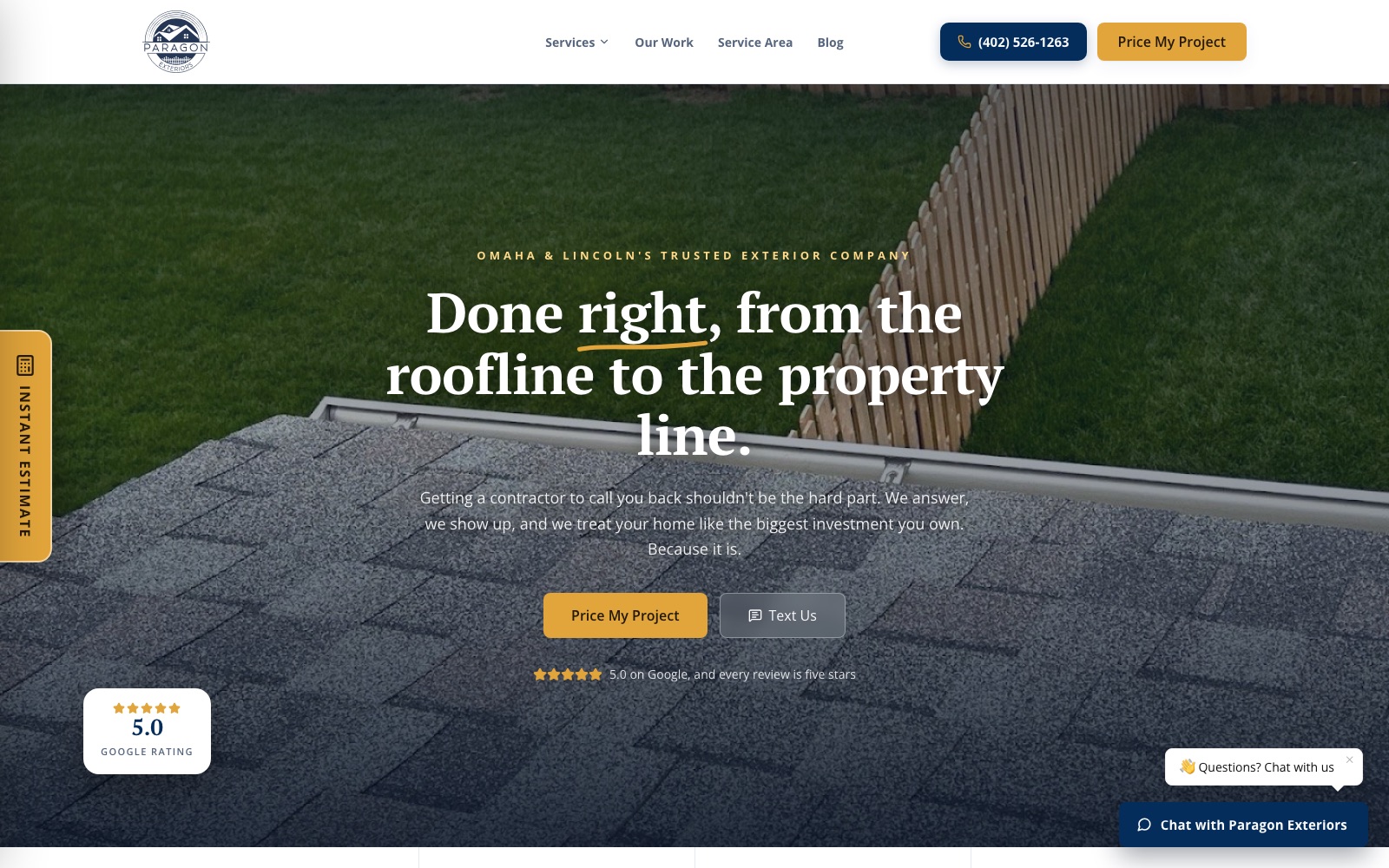
Paragon is a residential exterior contractor, so read it as the homeowner half of the job. The part to copy is the pair of buttons under the headline: one to price the project and one to send a text. A visitor who is ready picks one, and nobody has to hunt for a form.
Safety record and EMR: print what the prequalification form asks
Commercial owners and general contractors screen builders before they invite them to bid. ConsensusDocs 221, a standard constructor prequalification statement, lists what they ask for:
- Safety program details and history, including EMR
- Financial statements and stability metrics
- Bonding capacity and insurance coverage
- Past project performance and relevant experience
- Key project personnel and staff qualifications
- Licensing, legal status and regulatory compliance
Most of that list can live on your website. Financial statements stay in the packet you send on request. The rest can be public, which saves an estimator a phone call before the form even arrives.
EMR is the experience modification rate on your workers' compensation policy. NCCI, the National Council on Compensation Insurance, explains that it compares your claims with the average employer in the same classification, usually over the latest three years. Better than average earns a credit mod below 1.00. Worse carries a debit mod above it.
The other safety number to print is your incidence rate. BLS, the Bureau of Labor Statistics, prints the formula: recordable cases times 200,000, divided by the hours your employees worked. The 200,000 stands for 100 full-time workers over a year.
Here is the worked example to copy. A 20-person company working 2,000 hours each logs 40,000 hours in a year.
One recordable case gives that company a rate of 5.0, which is 200,000 divided by 40,000. A year with no cases gives zero.
One case can swing a small firm from the best line in the table below to the worst, so print three years side by side. These are the BLS figures for 2024, the latest year in its industry table when we read it.
| Industry (BLS, 2024) | Recordable cases per 100 workers | Days away, restricted or transferred |
|---|---|---|
| All private industry | 2.3 | 1.4 |
| Construction | 2.2 | 1.3 |
| Residential building construction | 2.5 | 1.4 |
| Nonresidential building construction | 1.9 | 1.2 |
| Specialty trade contractors | 2.3 | 1.4 |
| Verdict | Print your rate beside your industry's line | |
BLS released its 2025 data on November 18, 2026, with private industry still at 2.3. Its industry table had not yet caught up when we read it.

Opus is a large builder, but the move scales down. One sentence with your mod, one table of three years of rates and the training your superintendents hold is a safety page. The sentence carries the weight because it holds a number an estimator can compare.
License number and bonding: what two state boards say
Minnesota's Department of Labor and Industry is plain about it for licensed residential contractors. Its FAQ says license numbers must be on "all other advertising including websites." State law, section 326B.87, says the number "must appear in any advertising" by the licensee.
California's Contractors State License Board says the same in its advertising guidelines. Licensed contractors must include their license number in "all forms of advertising," which the guide says covers any website that solicits business. A first offense carries a civil penalty of $100 to $1,000.
Bonding is where the states split. The same California guide says the law "prevents you from noting in your advertising" that you are bonded. In Minnesota, residential licensees pay into a Contractor Recovery Fund that, in the DLI's words, "replaces bonding requirements."
So check your own board before the word "bonded" goes on the site. Bonding capacity, the size of job your surety will back, is a prequalification item. It can sit in the packet you send to owners where your state limits ads.
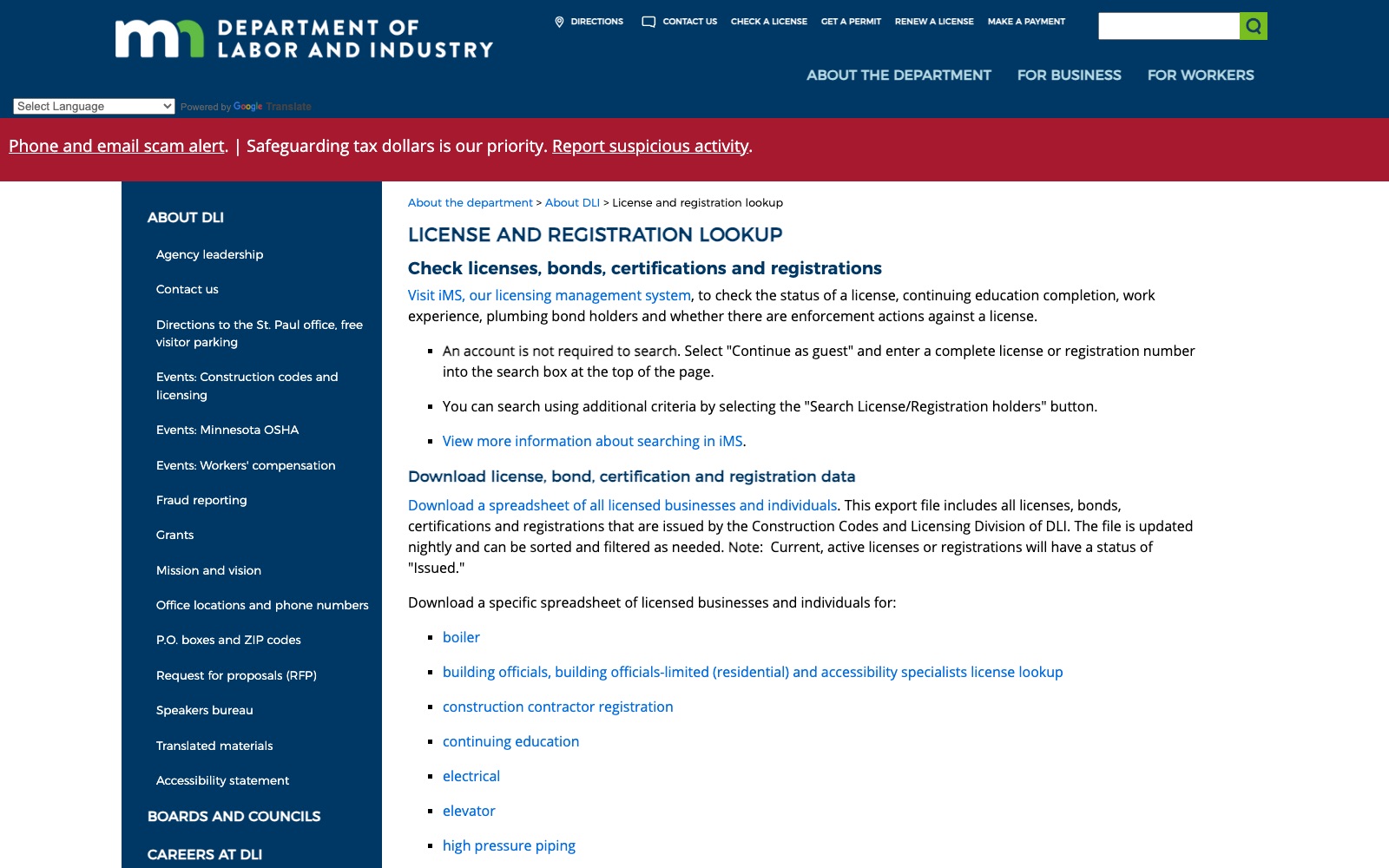
Titus Contracting, a Burnsville builder, prints "License #BC752914" next to its street address on the homepage. That is the whole fix, and it costs nothing. If you are still getting licensed, the steps by state are in how to start a construction company.
Want your site checked against all three buyers?
Skill Mammoth's free website audit is a 10-minute recording of your site through a buyer's eyes, plus a written report within 48 hours. If the site already does the job, we will say so.
Construction website examples, and the one thing to copy from each
These are live construction company sites we found through ordinary searches and read on November 27, 2026. None is a client of ours. Each section names one thing worth copying.
Castle Building & Remodeling: a price on the work
Castle, a Minneapolis remodeler, runs a page called 2026 Project Costs that sorts its work by project type. Its project pages print a cost range.
The 144-square-foot classic kitchen lists $92,857 to $106,786 for the job, plus $3,000 for design.
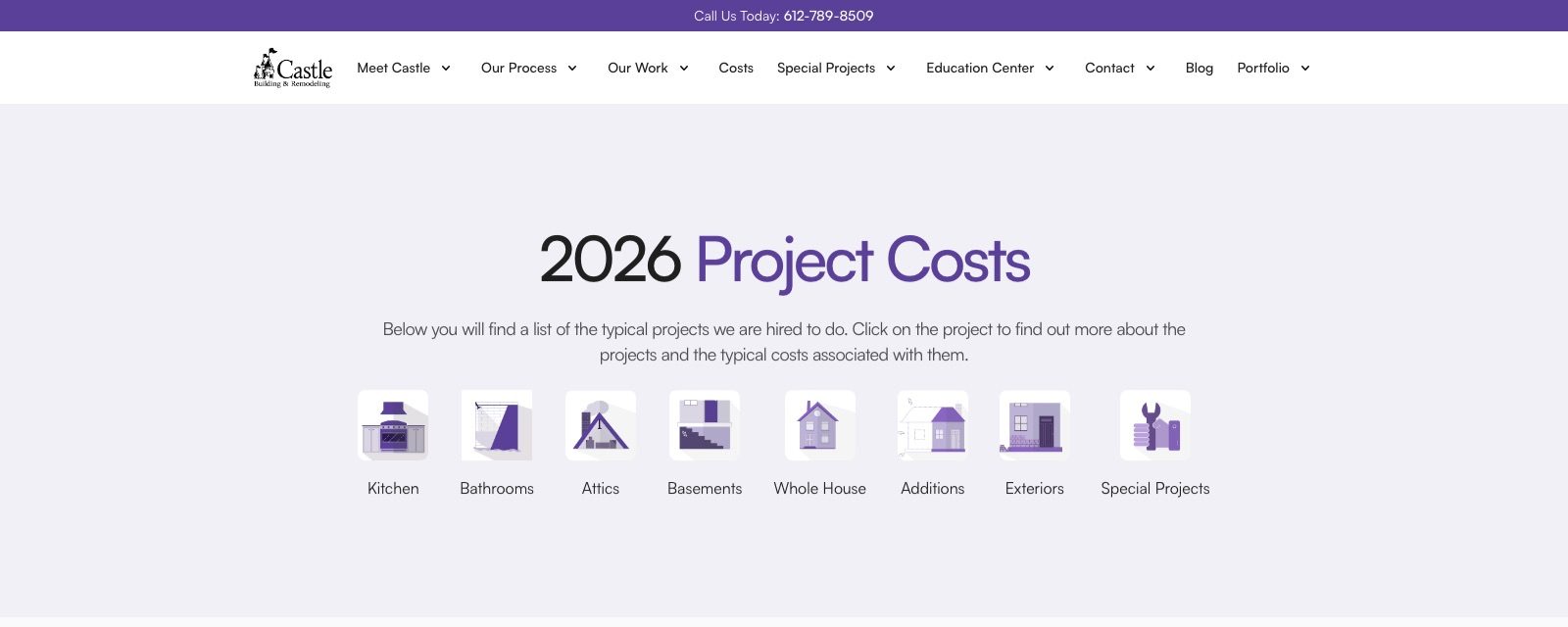
A range does the qualifying for you. A homeowner with a $30,000 budget learns what a Castle kitchen of that size costs before anyone spends an afternoon on a site visit. The homepage adds that the price and finish date are set before construction starts.
HITT: project cards with the numbers an owner asks for
HITT, a commercial builder, puts a data card on each project. The ICF headquarters card in Reston, Virginia lists the client, a contract value of $31,500,000, 208,000 square feet and completion in 2022.
Your projects are smaller, and the card works the same way. Location, size, value or a range, completion date and the architect fill the "past projects" line of a prequalification form before anyone asks.
Knutson Construction: a careers page with a link on every page
Knutson puts Careers and Trade Partners in the top bar of every page, so a worker and a subcontractor each have a door. The careers page opens on a crew photo and names its Star Tribune Top Workplace recognition, then lists benefits lower down.

Contractors are recruiting online. In the AGC and NCCER 2025 Workforce Survey, answered by 1,342 people at member firms, 55% of firms said they had added online strategies such as social media and targeted ads to reach younger applicants. Those ads need a page to land on.
A careers page works with a pay range, the benefits in a list and an application of five or six fields. Searches for "construction jobs" ran at 74,000 a month in our pull, and those searchers want a careers page, not a homepage.
Residential and commercial sites ask for different next steps
The page list is the same, and the weight differs. A remodeler sells to someone who will live in the result. A commercial builder sells to a committee with a form.
| Item | Residential builder or remodeler | Commercial builder |
|---|---|---|
| Main button | Price my project | Invite us to bid |
| Proof up top | Rating, license, finished photos | EMR, sectors, named projects |
| Project page data | Town, size, cost range, timeline | Client, value, square feet, delivery method |
| Second audience | Neighbors who saw the sign | Subcontractors and job seekers |
| Form fields | Name, phone, project type, budget range | Company, project, bid date, documents link |
| Verdict | Same nine pages, different first button | |
A company that does both should give each its own button rather than one "Contact us." Home builders selling plans have a third set of needs, floor plans and price signals, covered in home builder website design.
Photos and video: your own jobs, labeled
Every competitor can buy the same stock photo of a crane at sunset. Only you have the photo of the job you finished last spring, and that is the one a buyer can check.
Google's own image guidance is short and worth following:
- Alt text is "the most important attribute" for describing an image.
- File names should be short and descriptive, not image1.jpg.
- Images belong near the text they illustrate.
- High-quality photos appeal to people more than blurry ones.
Professional photos cost money, and one seller prints the figure. Contractor Growth Network says most photographers charge $500 to $1,500 a project, or $2,000 to $6,000 for three or four projects. For video, a short walk-through of a finished job, filmed on a phone and captioned with the town and scope, shows the same work in motion.
Speed and mobile: the three numbers Google prints
Google indexes and ranks the mobile version of your site, in its words "crawled with the smartphone agent." Its advice is to keep the same content on mobile as on desktop. A project page that hides its data on phones hides it from Google too.
For speed, Google's Core Web Vitals page names three measures and a target for each:
| Measure | What it times | Good | Poor |
|---|---|---|---|
| Largest Contentful Paint (LCP) | When the main content appears | 2.5 seconds or less | Over 4 seconds |
| Interaction to Next Paint (INP) | Delay after a tap | 200 milliseconds or less | Over 500 milliseconds |
| Cumulative Layout Shift (CLS) | How much the page jumps | 0.1 or less | Over 0.25 |
| Verdict | Test the homepage and one project page on mobile | ||
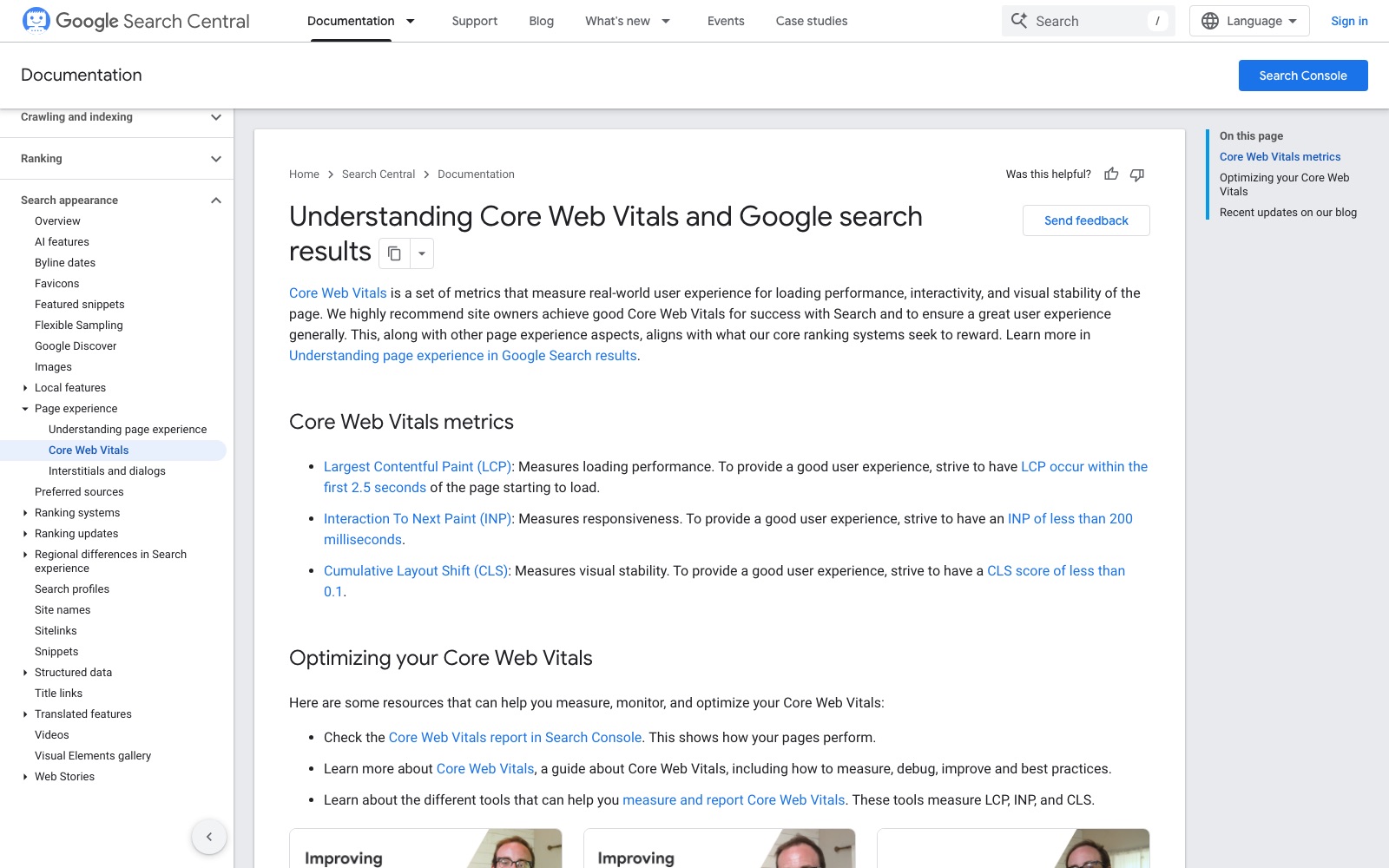
The poor marks come from PageSpeed Insights, Google's free test. It reports real-visitor data from the past 28 days where it has enough, and grades each measure at the 75th percentile of visits. Run your homepage through it on the mobile tab.
If the LCP is slow, check the photos first. Ask for them to be resized for the screen and loaded as the visitor scrolls, then run the test again after launch.
What construction website design costs in 2026
We read the pricing page of every builder, template seller and agency below on November 27, 2026. Only prices printed on those pages appear here. Monthly routes first:
| Route | Printed price | Terms |
|---|---|---|
| Webflow (builder) | $15 or $25 a month | Billed yearly, free Starter plan |
| Squarespace (builder) | $19 to $99 a month | Billed yearly, $25 to $139 monthly |
| Footbridge Media | $249 a month | Site included, month to month, 90-day refund |
| Built-Right Digital | $599 to $1,499 a month | 12 payments, then $199 a month hosting |
| Hook Agency | $1,000 or $2,000 a month | 12 months, only with a recurring service |
| Verdict | Read what happens after the last payment | |
A builder plan is the cheapest start, and you write every page yourself, starting with the nine-page list above. Construction themes for WordPress on ThemeForest ran $39 to $75 for the first eight listed, before hosting. One-time builds are in the calculator below. Drag the budget to see which printed prices start under it.
For reference, Skill Mammoth's own build is $3,000, or $150 a month for 24 months. It is one option on the same scale as the rows above.
The useful question is how many jobs pay for the site. NAHB's Remodelers' Cost of Doing Business Study puts the average gross margin at 29.9% for fiscal 2024. That is the share of each job left after its direct costs.
Take a $25,000 job as the example. No published average job covers construction companies, so swap in your own. At 29.9%, that job leaves $7,475 of gross profit to pay for the site.
| Build (printed price) | Price | $25,000 jobs to pay it back |
|---|---|---|
| Sites4Contractors, six pages | $1,997 | 0.27 |
| Built-Right Digital, Professional Basic | $5,750 | 0.77 |
| Hook Agency, standard site | $12,000 | 1.6 |
| Contractor Growth Network, typical spend | $26,000 | 3.5 |
| Contractor Growth Network, top of range | $45,000 | 6.0 |
| Verdict | Even the top printed price is six jobs | |
The math is the price divided by $7,475. A site that brings in two extra $25,000 jobs a year clears three of the five rows. A site that wins nothing costs its full price at any tier, which is why the page list above matters more than the tier.
The full comparison of build paths for trade contractors is in how much a contractor website should cost. Answer three questions below to see which route fits your company.
One year of searches: owners shopped while buyers were quiet
We pulled a year of Google search data for this topic on November 27, 2026 and compared two kinds of searcher: owners shopping for a site and buyers looking for a builder.
Searches for "construction website design" peaked at 1,300 in November 2025. That same month, "general contractors near me" was at 49,500, its lowest of the year.
By October 2026 the lines had crossed: owner searches sat at 320, tied for the year's low, while "general contractors near me" hit 201,000.
That is 628 buyer searches for every owner search, against 38 the November before.
The finding, computed by summing the monthly figures in the pull: 41% of the year's searches for "construction website design" came in November, December and January. The pull covers one year, so it cannot tell a season from a trend. Treat it as what those 12 months show.
Google groups "construction website design," "construction company website design" and "construction web design" into one figure, so they share a series. Pick a keyword below to see its month-by-month line. Filter to the buyer group and the share slider starts at 1%: 2,427 clicks a month nationally, worth $24,786 in Google Ads.
Timelines vary by route. Sites4Contractors says its starter site is live within five business days. Hook Agency says about 45 days, and Contractor Growth Network prints four months from kickoff to launch.
Questions to ask a construction website designer before you sign
The sellers above answer these differently on their own pages, which is the reason to ask.
- Who owns the site after the last payment? Built-Right Digital keeps ownership until the site is paid off. Sites4Contractors says you own it once paid. Hook Agency's page says "You own your website 100%."
- What does it cost every year after launch? Sites4Contractors prints a $297 yearly renewal. Built-Right Digital starts a $199 monthly hosting plan after the twelfth payment.
- Can I see a design before I pay? Thomas Digital offers a free homepage mockup within seven days for qualified projects.
- Will each project page have fields for location, size, value and completion? If the answer is a photo gallery, ask again.
- Where do the license number, EMR and safety page go? Get the placement in writing.
- What will PageSpeed Insights show on mobile at launch? Ask for the LCP target in the contract.
- Who supplies the photos? If it is you, start shooting finished jobs now.
- Who controls the domain and the hosting account? Both should sit in your company's name.
What to do this week
- Look up your own license on your state board's search and add the number to the header or footer.
- Run your homepage through PageSpeed Insights on the mobile tab and write down the LCP.
- Ask your workers' compensation agent for your current mod, then work out your incidence rate with the BLS formula.
- Pick five finished projects and write one card each: location, size, value or range, completion date and two photos.
- Add a careers page with a pay range and a five-field application.
- Score the site with the scorecard near the top of this guide.
Want a second opinion before you hire anyone?
Skill Mammoth builds websites and runs marketing for contractors and home service businesses. Fifteen minutes on your work, your buyers and your current site, and we will tell you which pages to build first, even if someone else builds them.
Frequently asked questions
What should a construction company website include?
Nine pages cover the three buyers. Start with a homepage carrying a phone number and a bid or estimate button, then project pages with real data. Add services and markets served, a safety page with your EMR and a licenses page. Finish with team, careers and a contact page that separates bid invitations. California requires the license number in advertising, and Minnesota does for residential licensees.
How much does construction website design cost?
Prices printed on November 27, 2026: Webflow from $15 a month and Squarespace from $19, billed yearly. Construction WordPress themes on ThemeForest ran $39 to $75. One-time builds run from $1,997 at Sites4Contractors to $45,000 at the top of Contractor Growth Network's range. Footbridge Media prints $249 a month with a site included, and Contractor Growth Network says most of its clients spend around $26,000.
Should a construction company put its EMR on its website?
Yes, if you bid commercial work. ConsensusDocs 221, a standard prequalification form, asks for safety history including EMR. A mod below 1.00 means fewer claims than the average employer in your classification, usually measured over three years. Print the mod with your incidence rates for three years so an estimator can compare you before the form arrives.
Do I have to put my contractor license number on my website?
In California, and in Minnesota for residential licensees, yes. Minnesota's licensing agency says license numbers belong on all advertising, including websites. California's board says licensed contractors must include the number in all forms of advertising, with a first-offense penalty of $100 to $1,000. Check your own state board. California also bars saying you are bonded in an ad.
How is a commercial construction website different from a residential one?
The pages are the same and the first button differs. A residential site leads with "price my project," reviews and finished photos. A commercial site leads with "invite us to bid," your EMR, the sectors you build in and project cards with client, value and square feet. A company doing both should give each buyer its own button.
How long does it take to build a construction website?
It depends on the route. On a builder plan, the site goes live as fast as you can write the pages. Sites4Contractors says its starter site is up within five business days. Hook Agency says about 45 days, and Contractor Growth Network prints four months from kickoff to launch. Photos and project data are the usual holdup.